
Running Two Businesses From One Desk Without Paying Twice
A studio and a retreat company. An agency and the legal entity behind it. Most platforms want a second subscription for that. Here is how to issue documents under as many business identities as you like from one login.
Plenty of people run more than one business from the same desk. A treatment studio and a separate retreat company. An agency with a legal entity sitting behind it. A trading name for one town and a different one for the next. It is normal, and it is usually invisible to everybody except the person doing the paperwork.
The paperwork is where it stops being invisible. The retreat invoice goes out with the studio's name on it. The contract says one company and the bank transfer says another. A client emails back asking which of you they are dealing with, and you spend ten minutes explaining a structure they did not need to know about.
The usual fix is to buy the software twice
Ask most platforms how to handle two business names and the answer is a second subscription. Two logins, two client lists, two calendars, two of everything, and a permanent low-level tax on your attention because the thing you are looking for is always in the other account.
It is a strange answer, because you are not running two operations. You are one person, with one calendar, sending documents under two names.
What a brand is
In ClientBranch, a brand is a second business identity. It carries its own logo, its own name, its own legal name, its own address, email and phone number. You set it up once under Settings, and from then on it is a dropdown on any document you raise.
Everything else stays exactly where it was. One client list. One calendar. One inbox. One Stripe account taking the money. The only thing that changes is whose name is on the paper.
Setting one up takes about a minute
Go to Settings, then Brands, and add one. The brand name is what you will pick from the dropdown later, so make it something you will recognize in a hurry. The legal name is the one that prints on the document, and it is often the longer, more formal version of the same thing.
Then the contact details you want clients to see and reply to. This part matters more than it looks. These belong to the brand rather than to your workspace, so an enquiry about the retreat reaches the retreat inbox instead of the front desk.
Paste in the address of your logo and that is what prints at the top of the paperwork instead of your usual one.
The field most people skip
Underneath everything else is a box called default terms, and it is the quiet time saver on that screen.
Whatever you put there fills in the terms box automatically every time you raise a document under that brand. Your deposit policy, your cancellation window, your payment window. It stops living in your head, and it stops being retyped slightly differently every time, which is the version that causes arguments later.
Using it on an invoice
Start a new invoice and there is a dropdown called Invoice from. Leave it alone and the invoice goes out as your workspace, exactly as it always has. Choose your brand instead and watch the preview on the right.
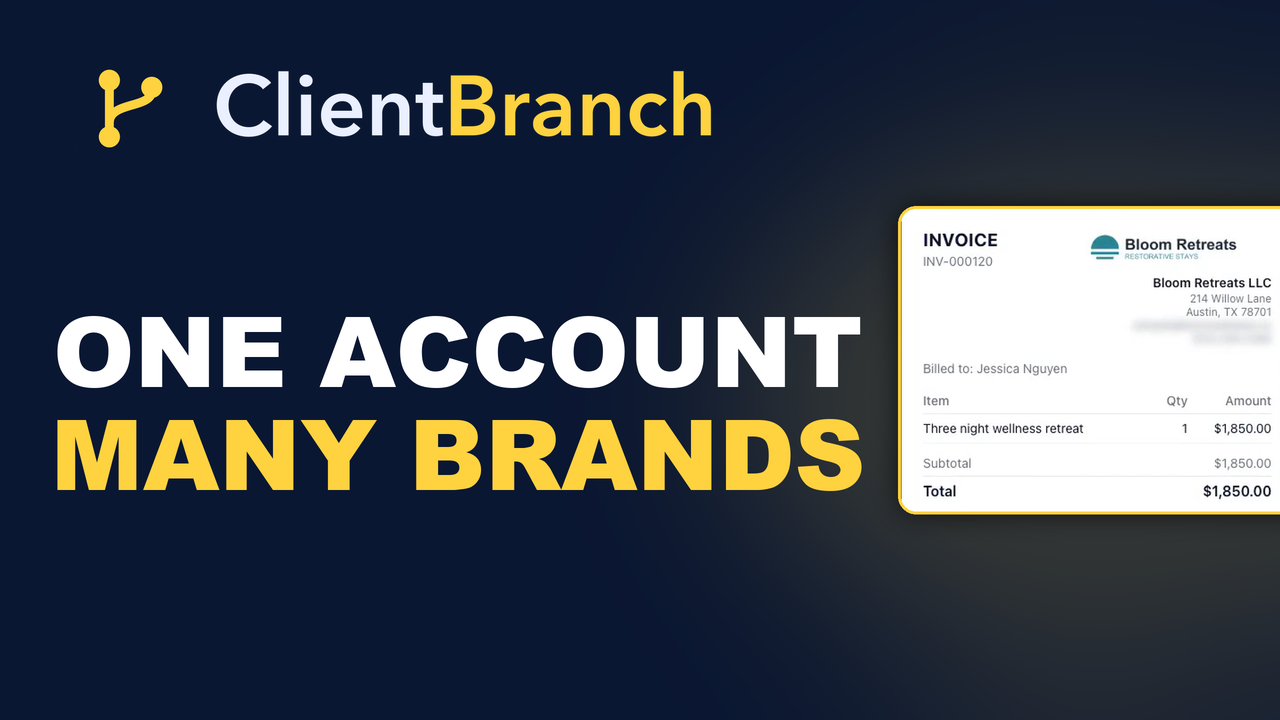
The logo changes. So does everything under it: the business name, the address, the email and the phone number. Same account, same client, same invoice, different letterhead. And the terms box fills itself in with the wording you saved, without being asked.
Contracts work the same way
On a contract the dropdown is called Issued by and it does the same job. Pick the brand and every business merge field in the document fills with that identity instead of your workspace, in the preview, on the page your client signs, and on the copy they keep afterwards.
That last part is worth saying out loud, because a signed agreement with the wrong company name on it is not a cosmetic problem.
Three things worth knowing
The brand is copied onto each document as you save it. Editing a brand later changes what you send next, and never what you have already sent. Your old invoices keep the details they went out with, which is exactly what you want when somebody digs one up eighteen months on.
Payments still settle into your one connected Stripe account, whichever name is on the paper. You are not reconciling two payment processors.
And deleting a brand never touches documents already issued under it. It just stops appearing in the dropdown.
What it looks like to the client
This is the part that sells it. Your client never sees a platform, a dropdown or a workspace. They get an invoice from a company, with that company's logo at the top, that company's address underneath, and that company's email to reply to.
If they reply, it goes where you set it to go. If they pay, it settles into the same account as everything else. The structure that makes your life easier is completely invisible to them, which is exactly the right amount of visible.
Where people get caught out
Two mistakes come up. The first is filling in the brand name and stopping there, which gives you a document with a name at the top and nothing under it. Spend the extra thirty seconds on the address and the contact details.
The second is assuming the brand changes where money goes. It does not. Payments settle into your one connected Stripe account regardless of whose name is on the invoice, which is usually what people want and occasionally a surprise. If you genuinely need separate banking per entity, that is an accounting decision rather than a software one.
Who this is really for
If you have ever apologized to a client for the name on an invoice, this is for you. So is anybody who has been quoted for a second seat of their software to solve what is genuinely a formatting problem.
There is no limit on how many brands you keep. Running a second business identity is something plenty of platforms will sell you a whole second subscription for. Here it is a dropdown.
Start your free trial and set up your second identity in about a minute.
Try ClientBranch free for 15 days
Get booked, get paid, and keep clients coming back, all from one place. No card required, cancel anytime.
Start my 15-day free trial