
The Follow-Ups You Promise On A Call And Never Write Down
Work does not get dropped because somebody forgot how to do it. It gets dropped because nobody wrote it down anywhere the rest of the team can see. Here is the simplest fix in the whole platform.
Here is the moment the work goes missing. You are on the phone, the call is going well, and you say the words: "I'll send you that over this afternoon."
You mean it. You are also driving, or between appointments, or already thinking about the next thing. The promise never reaches paper. Three days later the client emails to ask, politely, and now you are apologizing for something you fully intended to do.
Almost nothing gets dropped because somebody forgot how to do it. It gets dropped because nobody wrote it down anywhere the rest of the team could see.
Why a notes app does not solve this
Most people already have a list somewhere. A notes app, a whiteboard, the back of a calendar. They fail for the same three reasons every time.
They are not attached to the client, so a week later you have a line that says "send the thing" and no memory of who to. They belong to one person and one device, so nobody else can pick the work up. And nothing in them ever becomes overdue, so a task written in March sits looking exactly as calm in June.
The screen is deliberately boring
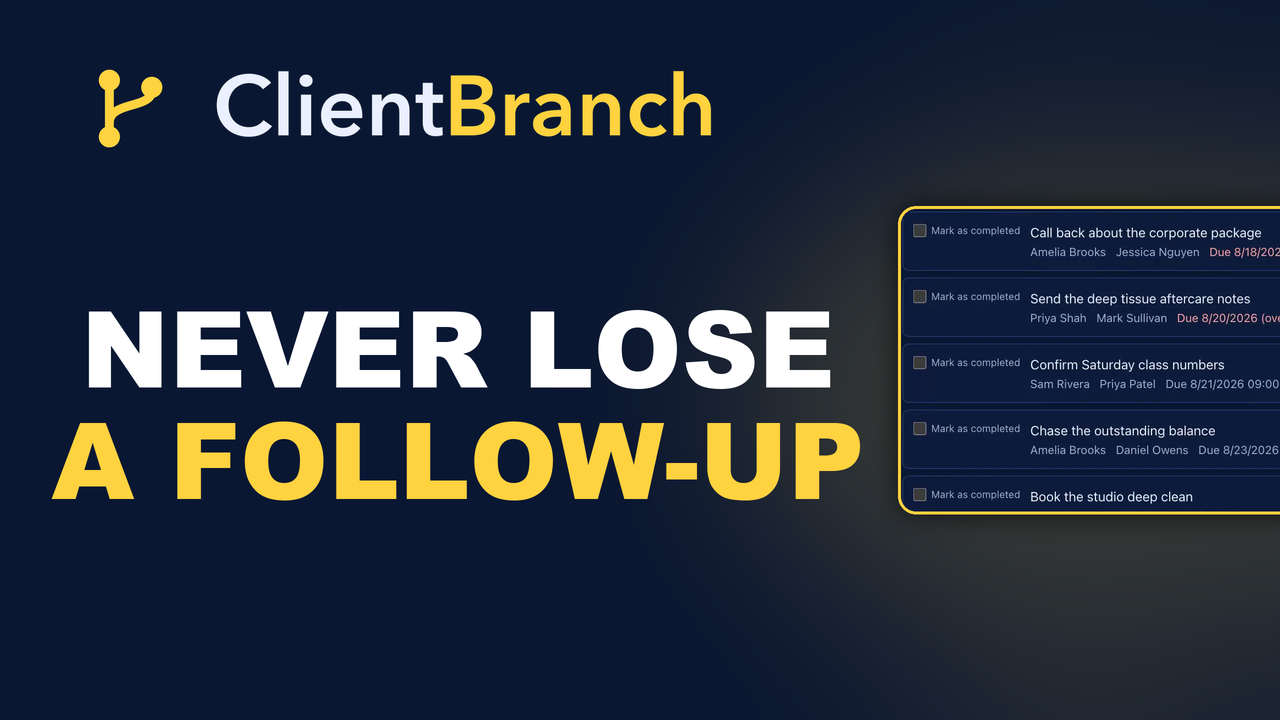
Tasks in ClientBranch sit under Contacts, and the screen splits itself in two. Everything still to do at the top under Open. Everything finished underneath under Completed.
That split is the whole design. You only ever have to read the top half. The bottom half exists so that when somebody asks whether a thing was done, you have an answer instead of a feeling.
Overdue work comes and finds you
Every task carries a due date, and anything past it turns red and says overdue. It is a small thing that changes the psychology of the list completely.
An ordinary to-do list has to be searched for problems. This one presents them. The promises you have let slip are the first thing you see, in a color that makes them hard to scroll past.
The two fields people skip
When you write a task, four things can go on it: who it belongs to, which client it is about, when it is due, and a reminder. Two of those get skipped constantly, and they are the two that matter.
Assign it to somebody. Leave a task unassigned and it belongs to nobody. It sits in a shared list that everyone can see and nobody owns, which is a very reliable way to make sure it never happens.
Link the client it is about. From then on the task and the person live together. Their name on the task is a link straight to their record, so when you finally sit down to do the thing you have their history in front of you rather than in your memory.
Write it the way you would say it
A task called "follow up" is not a task, it is a mood. A task called "chase the retreat deposit, offer to split it over two payments" is something you can act on in four days without reconstructing the conversation first.
The notes field is there for the detail that does not fit in a title. Use it. Future you is not as well informed as you think.
Reminders that reach you outside the app
A task can carry a calendar reminder. If the person it is assigned to has connected their Google Calendar, it lands there as a real event with the reminder attached.
That matters because the days you most need reminding are the days you never open your admin screens. A reminder that only exists inside the software you are too busy to look at is not a reminder.
Filtering down to one person
If you have a team, the filter at the top narrows the list to one member of staff. They see their own work and nothing else, which is the difference between a list that helps somebody and a list that overwhelms them.
It also makes a quick Monday conversation possible: here is your list, here is what is overdue, what do you need from me.
Ticking it off is the point
When the work is done, tick it. It crosses itself out and drops into Completed, out of the way but still there.
That record is worth more than it looks. When a client says nobody ever sent them the aftercare notes, you are not guessing. You can see that it was sent, by whom, and when.
What to put on the list, and what not to
The temptation with any task feature is to put everything in it, at which point it becomes a second inbox you are behind on. Tasks work best when they hold one specific kind of thing: promises you made to a named client.
Send the aftercare notes. Chase the deposit. Ring them back about the corporate package. Check they got the parking instructions. Small, concrete, owed to somebody.
Your own admin, your marketing plans and your someday ideas belong somewhere else. Mixing them in is how a useful list becomes wallpaper.
The Monday morning test
A good task list passes one test: on Monday morning, can you open it and know what today looks like without opening anything else?
Overdue at the top in red. Today's work under it. Everybody's name against their own items. If your current system cannot do that in one screen, it is costing you more than you think, mostly in the small apologies you make to clients who were not chased, sent or called back.
A short list of what you owe people
That is all this is. Not a project management system, not a methodology. A short list of the small promises you made to clients, attached to the clients you made them to, visible to the people who could help.
The businesses that feel organized are rarely the ones with the cleverest system. They are the ones that write things down in a place somebody else can see.
Start your free trial and get your promises out of your head.
Try ClientBranch free for 15 days
Get booked, get paid, and keep clients coming back, all from one place. No card required, cancel anytime.
Start my 15-day free trial