
Vimeo On Demand Is Closing: The Alternative, Feature by Feature
Vimeo On Demand shuts down November 20, 2026, buyers lose what they paid for, and Vimeo will not hand you your full buyer list. We asked a seller with 850+ videos across a dozen libraries what he would miss, then built it.
Vimeo is closing Vimeo On Demand. Uploads stopped on August 22, 2026, new purchases stop on September 21, final seller payouts complete by October 21, and on November 20 the platform shuts down. When it does, everyone who bought a video through it loses access to what they paid for.
If you sell video, that is a deadline rather than a news story. This is a full comparison: what closes and when, what Vimeo's replacement really charges, the one thing Vimeo cannot give you on the way out, and what it takes to run the same business somewhere you own.
We did not guess at the feature list. We asked a seller who ran a real Vimeo On Demand business for years, with more than 850 videos across a dozen libraries, exactly what he would miss. Then we built it. His list runs through the middle of this article, every item of it.
On this page
- The shutdown timetable
- The thing Vimeo cannot give you back
- What Vimeo OTT charges, next to what we charge
- The upload fee, and the dollar per coupon
- What a real Vimeo seller said he would miss
- Libraries, and the two things Vimeo would not do
- SEO, which he called the best thing about Vimeo
- Getting paid without PayPal
- Rent one, own one, rent the library, own the library
- Free and discounted access
- The part Vimeo never had
- The other option: a CRM with a course tool
- Where Vimeo wins, and where the ground has moved
- Comments, without the comment section problem
- Being found by AI search and answer engines
- What it costs to store a back catalog
- How to move before November
- Questions people ask before switching
The shutdown timetable
Vimeo published the schedule in phases, and each one closes a different door.
| Date | What stops |
|---|---|
| August 22, 2026 | New uploads blocked |
| September 21, 2026 | New purchases and subscriptions blocked |
| October 21, 2026 | Final seller payouts processed |
| November 20, 2026 | Platform fully shut down |
Read the last row twice, because it is about your customers rather than you. Anyone who bought or rented from you keeps access only until November 20. After that it is gone, unless they downloaded it while downloads were switched on for that title. You will be the one they email about it.
Vimeo points sellers toward Vimeo OTT. That is a real product and it works. It is also more expensive than what you are leaving, which is an odd way to be asked to move.
The thing Vimeo cannot give you back
This is the detail most articles skip, and it is the one that should decide your next move.
You can export your audience on the way out, but only part of it. Vimeo lets you download a CSV of viewers who opted in to receive updates from your VOD page. Everyone else, including people who paid you money, is not in that file. Vimeo's own seller FAQ says plainly that "for privacy reasons we are not able to provide full buyer lists".
So the people most likely to buy your next release, the ones who already bought the last one, are not necessarily coming with you. Whatever you do next, that is the cost of having sold through somebody else's storefront.
One piece of good news, and it corrects a common misreading of the announcement: your uploaded videos are not deleted by the shutdown. They stay in your Vimeo account under your plan's normal storage terms. It is the storefront, the purchases and the access that end, not the files. Download your masters anyway, on your own schedule rather than in November alongside everybody else.
What Vimeo OTT charges, next to what we charge
On Vimeo OTT, buy and rent sales carry a 10% service fee plus 50 cents per transaction. Where Vimeo handles the payment there is a merchant fee of 2.5% plus 30 cents as well. Subscriptions are billed differently again, at $1 per subscriber per month plus the same merchant fee.
Here is what the buy and rent maths does to a sale, next to ClientBranch, where there is no platform fee at all and the only deduction is standard Stripe processing at 2.9% plus 30 cents into your own account:
| Sale price | Vimeo OTT takes | You keep | ClientBranch takes | You keep |
|---|---|---|---|---|
| $4.99 | $1.42 | $3.57 | $0.44 | $4.55 |
| $9.99 | $2.05 | $7.94 | $0.59 | $9.40 |
| $14.99 | $2.68 | $12.31 | $0.73 | $14.26 |
| $19.99 | $3.30 | $16.69 | $0.88 | $19.11 |
| $49.00 | $6.92 | $42.08 | $1.72 | $47.28 |
| $100.00 | $13.30 | $86.70 | $3.20 | $96.80 |
| $297.00 | $37.92 | $259.07 | $8.91 | $288.09 |
The flat 50 cents is what makes low prices painful. On a $4.99 sale Vimeo's cut is over 28%. That is the price point most people use for a single recorded show, which is exactly the wrong place for a fixed fee to land.
Say you record a show and 200 people who were in the room buy the recording at $9.99. Gross is $1,998. Through Vimeo OTT you keep $1,588. Through ClientBranch you keep $1,880. That is $292 on one show, for the same work either way. Do that twice a month and it is a holiday.
The upload fee, and the dollar per coupon
Vimeo OTT charges you to put video in. One hour of uploading is free. After that it is $99 for up to 10 hours, $149 for up to 25, and $199 for up to 50, bought as you need them.
That penalizes exactly the people who should be your best customers. Someone with a 51 hour training library pays the top tier before selling anything. Someone uploading a two hour show every month walks through all three tiers inside a year.
There is a smaller charge worth knowing about if you are generous with your work. Vimeo OTT includes 100 free marketing codes a month, screeners and coupons, then charges $1 for each one after that. Adding customers manually or through the API is also charged per unit.
ClientBranch charges for none of it. No upload fee, no weekly cap, no per-code charge, no charge for enrolling somebody by hand. Storage costs us about eight cents per hour of video per month, which is not worth building a billing system around, so we do not.
What a real Vimeo seller said he would miss
Rather than guess, we asked. He had been selling recorded shows for years, to fairs, corporate clients and schools. Here is his list, and where each item stands today.
| What he valued on Vimeo | Where it stands here |
|---|---|
| Strong SEO, sales from all over the world | Built. Structured data on every page, and every video under his own name |
| Libraries: fairs, corporate, schools, per year, per venue | Built. A video can sit in several at once |
| Rent one video, or buy it | Built |
| Rent a whole library, or buy the whole library | Built, and buying a library includes what gets added later |
| Free or discounted access to a video or a library | Built, with codes and direct comps, and no per-code charge |
| Rearrange videos by hand, change the image people see | Built, with a move to top shortcut |
| A poster image per library | Built |
| SEO his own pages, per video and per library | Built |
| A custom web address per video | Built |
| Turning comments on or off | Built, per title, and only buyers can post |
| Being forced to use PayPal | Gone. Stripe, into his own account |
| A 20 GB weekly upload cap | Gone |
| Slowing down past 800 videos in one library | Gone. Libraries page rather than loading everything at once |
| Not being able to reorder the libraries themselves | Fixed |
Two of those deserve their own sections, because they are the ones he was most attached to and the ones most alternatives get wrong.
Libraries, and the two things Vimeo would not do
He grouped his work into libraries: one for fairs, one for corporate, one for schools, one for his bootcamp. Then annual ones, a new collection every year. Then one-offs for a high school or a fair he went back to year after year.
Libraries work the same way here. Each is a page people can browse, with its own poster, description, web address and SEO fields. A video can belong to more than one, so a show can be in both Fairs and 2026 without uploading it twice, in a different position in each.
Then the two things Vimeo would not do.
He could not reorder the libraries themselves. The ones he was adding to sat behind the ones he had finished with, and there was nothing he could do about it. Here they reorder with arrows, and any library can be pinned to the front of your channel.
His biggest library hit 851 videos and started to slow down. He was willing to live with it. He should not have to. Library pages load 48 videos at a time, so page one is as fast at 851 videos as it is at 12, and the admin screen where you arrange them pages as well.
Inside a library, the order is yours. Move a video up, move it down, or send it straight to the top. He used this to put the six shows from a fair he had just worked at the front, with the faces of that night's volunteers on the images, so people could tell which show was theirs before buying. That is a sales technique, not a preference, and it needs manual ordering and a per-video image to work.
SEO, which he called the best thing about Vimeo
His words: Vimeo were on top of the SEO in a really big way, and he made sales in countries all over the world because of it.
That is the hardest thing to replace, and it is worth being precise about why it worked. It was not only that Vimeo is a large domain. It was that every one of his videos lived at an address carrying his name, so every share, every sale and every link fed the same page instead of scattering.
You get the same shape here. Claim a channel address and your work sits underneath it:
- Your channel page, with every library and video on it
- A web address per video underneath your name, so the link you share carries your brand
- A page per library, under your name as well
On top of the structure, each page carries the markup search engines read. Video pages carry VideoObject data with runtime, price and availability. Library pages carry CollectionPage and ItemList data, so a search engine can see it is a browsable set and what is in it. Your channel carries organization data. Every page after the first in a long library points its canonical at itself, so page eighteen can rank on its own rather than being dismissed as a copy of page one.
The sitemap lists every one of those deep pages explicitly. That matters more than it sounds. In a library of 851 videos, most of the long tail is buried eighteen pages deep, and the long tail is exactly what was making those overseas sales.
You also get the fields to do the work yourself: a title and description per video, per library and for the channel, because you know the search terms your buyers use and we do not.
What we will not claim: a new domain does not have the authority of vimeo.com on day one. Nobody honest can promise otherwise. What you get is the structure that earns authority, pointed at your name rather than somebody else's, on a page that cannot be switched off underneath you. Which, given why you are reading this, is the part that matters.
Getting paid without PayPal
He was blunt about this one. He had no time for PayPal and no alternative on Vimeo.
Payments here run through Stripe, into an account in your name, connected in a couple of minutes. Card payments land like any other card payment, on Stripe's normal payout schedule. There is no platform account holding your money in between, and no per-sale platform fee on top.
Rent one, own one, rent the library, own the library
He priced four ways: rent one video for $10, buy it for $15, rent a whole library for $50 for a limited time, or own the library for $100. All four exist here.
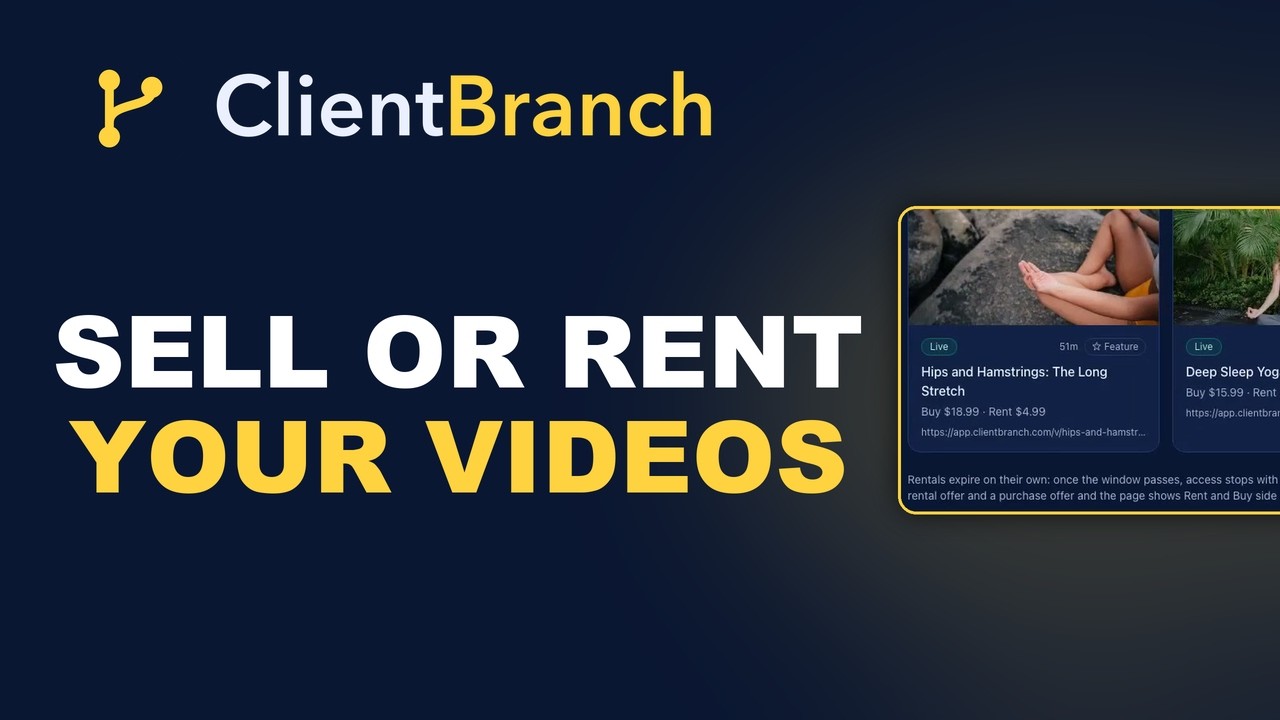
A video has one page showing both choices side by side, and one link to share. Set a rental price and a window, 24 hours through 30 days, and a purchase price for people who want to keep it. Rentals expire on their own when the window closes, with nothing for you to cancel.
Libraries price the same way, on top of whatever the individual videos cost.
One deliberate difference. When someone buys a library here, they get what is in it now and whatever you add later. An annual library is still being filled in November, and somebody who bought it in March should not be locked out of the shows you added in October. Behind the scenes their purchase points at the library rather than at a snapshot of that day's contents, which is what makes that possible.
Free and discounted access
He gave away and discounted individual titles, sometimes a whole library. Two ways to do that here, and neither is metered.
Discount codes work on any video, course or library, set as a percentage or a fixed amount, with an expiry and a redemption limit if you want one. A code worth the full price is a giveaway: the buyer never sees a card form, they just get access and a login.
Or enroll somebody directly by email from the admin screen, with no code and no checkout. That is the fastest way to hand a client the recording of the show you did for them.
The part Vimeo never had
Everything above is catching up to a product that worked. This is the part with no equivalent, and it connects back to the buyer list you cannot export.
For a show recording, your buyers are the people who were at the show. They are not browsing a video marketplace at 11pm hoping to find you. They are in your phone, on your email list, or they scanned something on the way out.
ClientBranch has contacts, email and SMS in the same login as the video. So the flow is: film the show, upload it, generate a QR code, text the link to everyone tagged with that venue. The people who laughed the hardest buy it that night while it is still funny. There is no export, no integration, no second subscription.
And every buyer becomes a contact record you own. If we ever disappoint you, you leave with the list. That is the difference between renting a storefront and owning one, and it is the whole lesson of November 20.
The other option: a CRM with a course tool bolted on
Plenty of people leaving Vimeo are not comparing it to another video platform. They already pay for a marketing CRM, most likely GoHighLevel or one of its resellers, and they are wondering whether the course tool inside it will do the job.
It might. Those platforms are good at what they are for. The CRM is solid, the automations work, and the course builder handles modules, lessons, drip scheduling and gated access behind a one-off or recurring payment. If what you sell is a training program, that is a reasonable place to put it.
It is worth being clear about where the line falls, though, because a course tool and a video store are not the same product.
| What you need to sell recorded video | A CRM course tool | ClientBranch |
|---|---|---|
| Gate content behind a payment | Yes | Yes |
| Rent a single title for a set window | No | Yes, and it expires on its own |
| Rent and own priced side by side on one page | No | Yes |
| Browsable libraries with their own pages | No | Yes |
| Price a whole library to rent or own | No | Yes |
| A public sales page per title, built to rank | Not really, it is a members area | Yes, with video structured data |
| Your own web address per video | No | Yes |
| Contacts, email and SMS in the same login | Yes | Yes |
A members area is a room you let people into. A video store is a shop window that has to be found, browsed and bought from by people who are not members of anything yet. Those are different jobs, and the second one is what a recorded show needs.
So the honest version of that route is: keep the CRM for the CRM, and add something else for the video. Which puts you back where Vimeo left you, running the catalog in one place and the customer list in another, with the two never quite meeting.
Why one place matters more than any single feature
Everything above is a feature list, and feature lists are the least interesting part of this decision.
The thing that sells a recorded show is not the page it sits on. It is knowing who was in the room, and being able to reach them the same week while they are still quoting it at each other. That is a customer list, and it is the only asset in this whole business that appreciates.
Run the video somewhere separate from the list and that link is broken by design. The buyer is a transaction on one platform and a stranger on the other. You cannot tag them by venue, cannot text the six people who booked you last year, cannot see that somebody who rented one show has now rented four and is obviously worth a phone call.
Here, buying a video makes somebody a contact. That is the whole architecture, and it is the reason the rest of it is worth having. Every sale grows the one list that carries your business to whatever comes after the platform you are on today.
Which, given that you are reading an article about a platform switching itself off on a fixed date, is not a hypothetical.
Where Vimeo wins, and where the ground has moved
Every comparison article pretends the winner is better at everything. Here is the straight version, including the part that surprises most people.
The marketplace is closing too
Vimeo On Demand had a genuine advantage that no amount of feature building replaces: a marketplace. People browsed it and stumbled onto films they were not looking for. If that was sending you buyers, that was real, and it is worth naming.
It is also ending on November 20 along with everything else. Vimeo OTT, the product sellers are being pointed toward, is not a marketplace. It is a white-label channel. Nobody browses their way into it, and Vimeo says as much: you point your channel at a custom domain and drive your own traffic to it.
So on discovery, both routes now start from the same place. You bring the audience. The only question left is what each one hands you to be found with.
Where a public page beats a members area
This is the part that has changed since most of these platforms were designed.
People do not only search now. They ask. They type a full question into ChatGPT, or Perplexity, or Google's AI results, and they get an answer assembled from pages a machine could read and understand. Somebody asking which hypnotist recorded a show at a fair they attended, or where to watch a comedy hypnosis show, is asking a question in a sentence, and something is answering it.
Answer engines can only quote what they can reach and parse. That means a public page, crawlable, with structured data telling the machine what it is looking at: this is a video, this is its runtime, this is its price, this is the collection it belongs to, this is who made it.
That is what every page here ships with, and it is the same work whether the reader is a person, a search crawler or a language model. Your video pages carry VideoObject data. Your libraries carry CollectionPage and ItemList data, so a machine can see it is a browsable set and what is inside it. Your channel carries organization data. The sitemap reaches the deep pages so nothing is stranded eighteen pages down.
A title sitting inside a members area, a subscription channel or a television app has none of that. It is behind a login, invisible to the thing doing the answering. You cannot be cited if you cannot be read.
What we will not pretend: nobody controls whether an answer engine cites you, and a new address starts with no authority at all. This is a slow game measured in months. But it is a game a public, well-marked page can play at all, and a walled channel simply cannot enter.
What Vimeo genuinely does better
Two things, and they matter if they are your business.
Television. Vimeo OTT builds branded apps for Roku, Fire TV, Apple TV, Android TV and the rest, with your name in those app stores. There is no equivalent here and none planned. If your viewers watch on a living room television through an app with your logo on it, that is a real reason to pay Vimeo.
Subscription channels. If what you want is Netflix for your own catalog, a monthly fee for everything, Vimeo OTT is built around that and does it well. This is built for selling titles and libraries individually, to rent or to own.
Comments, without the comment section problem
Comments are built, off by default, and switched on per title. The rule that makes them work is that only people who bought the thing can post.
That single constraint removes most of what makes a public comment box a liability. There are no passing strangers, no throwaway accounts and no bots, because posting requires a purchase and a login. Every commenter is a paying customer already sitting in your contact list, which tends to make people write like human beings.
Buyers comment on the watch page. Everyone else sees those comments on the public sales page, under a heading that says only buyers can post there. Comments from people who actually paid read as a wall of reviews rather than a comment thread, and they do more selling than any copy you could write about yourself.
You moderate from one screen covering every title, and hiding is the default action rather than deleting, so if a comment ever turns into a disagreement the original wording still exists.
What is built for is the person who already has an audience and wants to sell to them directly, keeping as much of the money and the relationship as possible, on pages that can be found by whatever people are using to search this year. That is a narrower job than Vimeo's, and doing it properly beats claiming everything.
What it costs to store a back catalog
This is the question nobody asks until they have already committed, and it is the one that decides whether a 500-video archive is affordable anywhere.
Every plan that can host video includes storage. Studio and Growth include 1 TB, Core includes 250 GB, and the allowance is one pool shared across your courses and your videos, so you never have to work out which part of the product is using what. A full-length evening show runs to a few gigabytes, which means 1 TB holds a serious catalog rather than a sample of one.
What matters more than the number is what happens when you reach it. Vimeo stops your uploads dead and holds them there until you move up an entire tier, which is a jump from $25 to $65 a month to get past 2 TB. We do not stop anything you have already published. Nothing is deleted, nothing is taken down, and no customer loses access to anything they bought. Only new uploads pause, the upload that takes you over the line always finishes, and extra storage is $15 per terabyte per month whenever you want it. Delete what you no longer sell and it comes straight back off the bill.
For a sense of scale against the tools people usually compare us with: GoHighLevel's largest plan, the one they market as Truly Unlimited, includes 400 GB. Ours is two and a half times that, on a plan that is also running your CRM, your calendar, your checkout and your email.
We will be straight about the other half of that comparison, because you will find it in ten seconds anyway. A dedicated video host will sell you more raw storage for less money, and Vimeo's own $25 plan carries more than our $59 one. Storage is their entire product, so it should. The difference is everything attached to it, and what the ceiling does to you when you hit it. Paying two subscriptions to keep your videos in one place and your customers in another is the arrangement we are trying to end.
You can see your usage on your billing page from the first video you upload, not from the first month it costs you something. A number that first appears on an invoice is the one people ring up about.
How to move before November
Export your audience now. Not in November. The CSV of opted-in viewers is in your VOD page settings, under the Audience tab, and it is the only list you are getting. Do it first, because it is the only step with a hard deadline attached to it.
Download your masters. They are not deleted by the shutdown, but pulling them while nothing is under pressure beats doing it in the last week alongside every other seller.
Then rebuild, which is the short part. Create a video, add the file, set a rental price and a purchase price, and publish. The page, the checkout, the buyer logins and the expiry all come with it.
If your files are already online anywhere with a direct link, you do not need to upload them at all. Paste the link and our video host collects them server to server, which turns an evening of watching a progress bar into a few minutes. Nobody moving a back catalog should be uploading from a laptop.
If the files are only on your own drive, do not do them one at a time. Upload several takes the whole stack in one go, makes a video for each one named from its own filename, and applies a single rental and purchase price across the set. It works through them one after another rather than all at once, which is deliberate: these are big files on an ordinary connection, and six at a time does not finish sooner, it just makes all six crawl. If one fails the rest carry on and you retry only that one, and a large file that drops part way resumes from where it stopped instead of starting again.
Then group them into libraries, arrange them in the order you want, set your channel address, and tell your list. That last step is the one that makes the sale.
Questions people ask before switching
What happens to my Vimeo On Demand videos on November 20, 2026?
The storefront shuts down and purchased content stops being accessible. Anyone who bought or rented from you loses access on that date unless they downloaded a copy while downloads were enabled on your titles. Your uploaded videos themselves are not deleted; they remain in your Vimeo account under your plan's storage terms. It is the selling, the purchases and the buyer access that end.
Can I export my Vimeo customer list before the shutdown?
Only partly, and this is the most important thing to understand. You can export a CSV of viewers who opted in to receive updates from your VOD page, found under the Audience tab in your page settings. Vimeo does not provide full buyer lists, citing privacy. So some of the people who paid you will not be in the file you take with you. Export what you can now rather than in November.
How much does Vimeo OTT take compared to ClientBranch?
Vimeo OTT takes 10% plus 50 cents per buy or rent transaction, plus a merchant fee of 2.5% plus 30 cents where Vimeo processes the payment. On a $9.99 sale you keep $7.94. ClientBranch takes no platform fee, so the only deduction is Stripe at 2.9% plus 30 cents into your own account, and you keep $9.40 of the same sale. The gap is widest at low prices because of the flat 50 cents.
Does it cost anything to upload my back catalog?
Not here. Vimeo OTT gives one hour of uploading free, then charges $99 for up to 10 hours, $149 for up to 25 and $199 for up to 50. ClientBranch has no upload fee and no weekly cap. If your files already exist online with a direct link, they can be collected server to server rather than uploaded from your machine.
Can I sell a whole library of videos rather than one at a time?
Yes. A library can be rented for a set window or bought outright, priced separately from the individual videos inside it. Buying a library also includes anything added to it later, which matters for an annual collection still being filled after people have paid for it.
Can I put the same video in more than one library?
Yes. A recorded show can sit in a Fairs library and a 2026 library at the same time without uploading it twice, and it can be in a different position in each.
How many videos can one library hold?
There is no cap. Pages load 48 videos at a time, so a library of several hundred opens as fast as a small one, and the admin screen where you arrange them pages as well.
Can I control the order videos appear in?
Yes. Move any video up, down, or straight to the top of its library, and reorder the libraries themselves on your channel page. Each video carries its own image, so you can show the faces from a particular show and let buyers recognize the one they want before paying.
Do I get my own web address for each video?
Yes. Claim a channel address and every video sits underneath it, so the link you share carries your name rather than ours. Libraries get the same treatment, and it means every share feeds one page instead of scattering.
Do I have to use PayPal?
No. Payments run through Stripe into an account in your own name. There is no platform account holding your money in between.
Can I give a video away or discount it?
Yes, two ways, and neither is charged for. Create a discount code as a percentage or a fixed amount, with an expiry and a redemption limit if you want one, and a code worth the full price skips checkout entirely. Or enroll someone directly by email with no code and no payment, which is the quickest way to hand a client their own show. Vimeo OTT includes 100 codes a month and charges $1 each after that.
Can buyers leave comments on my videos?
Yes, switched on per title and off until you choose otherwise. Only people who bought that title can post, so there are no anonymous accounts or bots to police, and every commenter is a customer already in your contact list. Buyers comment on the watch page, and those comments also appear on the public sales page, where they work like reviews from verified purchasers. You moderate everything from one screen and hide rather than delete, so nothing is lost if a comment becomes a dispute.
Will my videos rank in Google?
Your pages carry the structured data search engines read: VideoObject on video pages, CollectionPage and ItemList on libraries, organization data on your channel, plus a sitemap listing deep library pages explicitly so the long tail is crawlable. What no honest platform can promise is that a new address carries the authority of vimeo.com immediately. What you get is the structure that earns it, pointed at your name.
Can buyers download the video file?
Only if you allow it, and only on a purchase rather than a rental. It is off by default, because once someone has the file it can be shared and none of the playback protection applies to it any more.
Can I just use my CRM's course tool instead of a video platform?
For a training program, often yes. Course tools inside marketing CRMs such as GoHighLevel handle modules, lessons, drip scheduling and gated access behind a payment. What they do not do is sell a single title to rent for a set window, price rent and own side by side, group videos into browsable libraries, price a whole library, or give each title a public page built to be found in search. A members area is a room you let people into; a video store is a shop window strangers buy from. If you sell recorded shows rather than a curriculum, you will end up adding a second platform for the video, which puts the catalog and the customer list back in separate places.
How much video storage do I get, and what if I go over?
Studio and Growth include 1 TB, Core includes 250 GB, shared across your courses and your videos as a single pool. Going over does not delete anything, does not take any page down, and does not stop a single customer buying or watching what you have already published. Only new uploads pause, and the upload that takes you past the line always finishes so you never lose a transfer half way through. Extra storage is $15 per terabyte per month, added or removed whenever you like, and it appears on the same invoice as your plan rather than as a separate charge on your card. Your usage is on your billing page from the first video you upload.
Can I upload my whole catalog at once?
Yes. Upload several takes as many files as you want to give it, creates a video for each one named from its filename, and applies one rental and purchase price across the batch. Titles stay editable while it runs. If your files already exist online anywhere with a direct link, use Fetch from a URL instead and skip the upload entirely, because that runs between datacenters rather than up your broadband.
Do I pay anything to upload, like Vimeo's upload hours?
No. There is no upload fee, no encoding fee and no per-minute charge, whether you are adding one show or five hundred. Vimeo OTT sells upload hours in blocks once you pass the first free hour. We do not, and the storage allowance above is the only limit that exists.
What is missing compared to Vimeo?
Two things, and comments is no longer one of them. Raw storage per dollar is a third, and we would rather say so than have you discover it: a dedicated video host sells more gigabytes for less, because that is their whole product. There are no branded television apps, so no Roku, Fire TV or Apple TV channel carrying your name, and there is no subscription channel model where one monthly fee unlocks your whole catalog. Worth knowing: the Vimeo On Demand marketplace, where people browsed and found you by accident, closes on November 20 as well. Vimeo OTT is a white-label channel rather than a marketplace, so on discovery both routes now expect you to bring your own audience.
Will my videos show up in ChatGPT, Perplexity or Google's AI answers?
They can, because they are public pages a machine can crawl and parse, marked up with structured data that says what each one is: a video, its runtime, its price, the library it belongs to, who made it. Answer engines can only cite what they can read, and a title locked inside a members area or a television app is invisible to them. Nobody can promise citations, and a new address starts with no authority, so treat it as a slow build rather than a switch. The point is that a public, well-marked page can compete for that traffic at all, where a walled channel cannot.
The short version
On a $9.99 sale you keep $9.40 with us and $7.94 with Vimeo OTT. You pay nothing to upload and nothing per discount code. Your buyers keep what they paid for. Libraries, manual ordering, per-video addresses, rent and own pricing at both levels, and your own SEO fields are all there, because a seller who ran the real thing for years told us what mattered.
And every buyer becomes a contact you own, in the same login as the video. Not the catalog in one place and the list in another, which is the arrangement November 20 is currently teaching several thousand sellers to regret.
Try ClientBranch free for 15 days
Get booked, get paid, and keep clients coming back, all from one place. No card required, cancel anytime.
Start my 15-day free trial